mb-neopixel
This is a sample project that uses NeoPixel with the BBC micro:bit. The lighting behavior is determined based on the values from the micro:bit’s accelerometer. This project uses the MakeCode editor.
Open this page at https://youpong.github.io/mb-neopixcel/
Setup
Import the project
Access the MakeCode website.

Click Import.
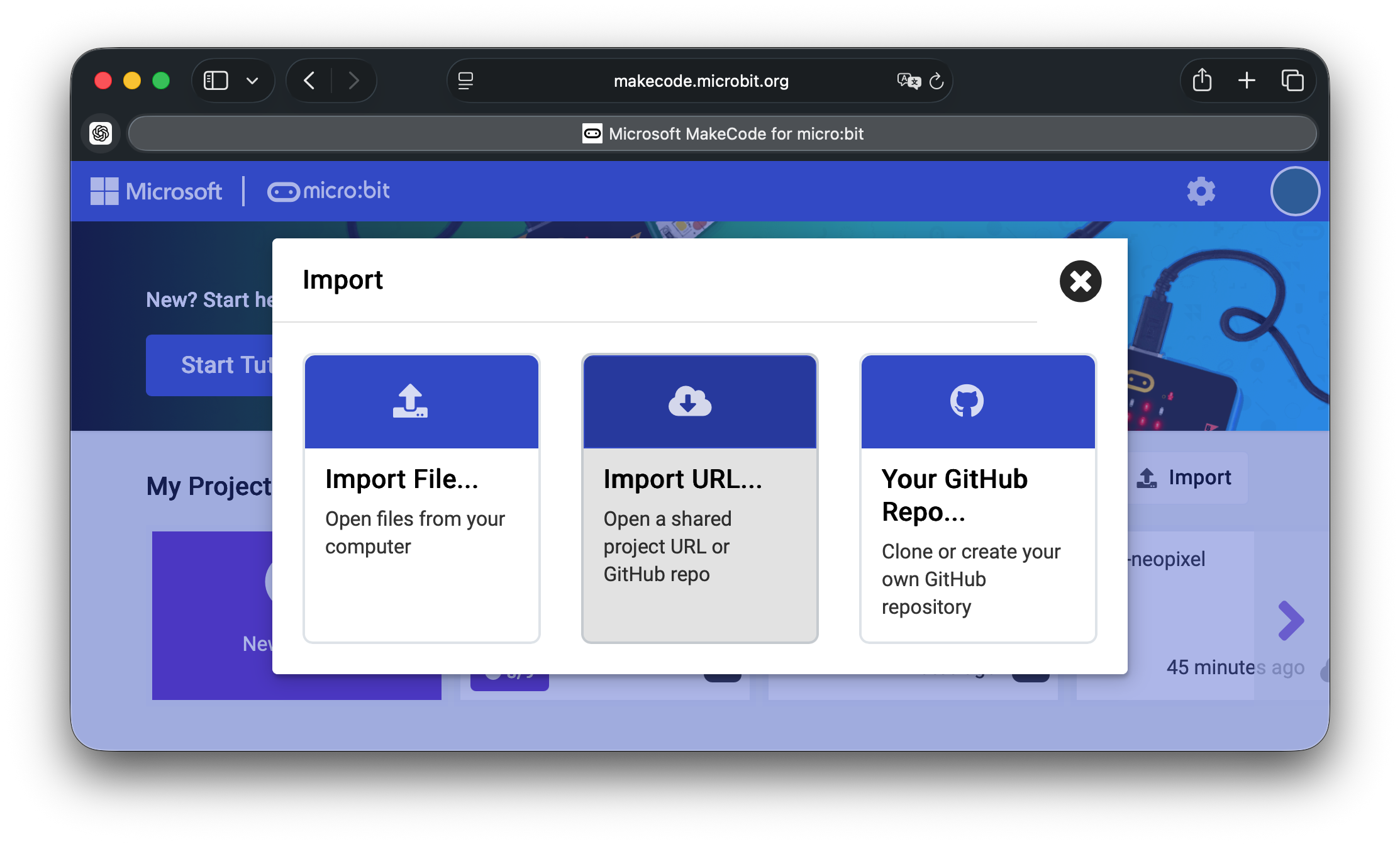
Select Import URL…

Enter the URL and click Go ahead! https://github.com/youpong/mb-neopixel
Edit main.ts
Modify the following constants to match your NeoPixel device. For example, if the number of pixels is 8:
const PIXEL_NUM = 8;
Download the program
Connect the micro:bit to your PC and download the program.
Connecting the micro:bit and NeoPixel
Connect as follows.
| micro:bit | NeoPixel |
|---|---|
| pin1 | DIN |
| 3V. | VCC |
| GND | GND |
Use as Extension
This repository can be added as an extension in MakeCode.
- open https://makecode.microbit.org/
- click on New Project
- click on Extensions under the gearwheel menu
- search for https://github.com/youpong/mb-neopixcel and import
Edit this project
To edit this repository in MakeCode.
- open https://makecode.microbit.org/
- click on Import then click on Import URL
- paste https://github.com/youpong/mb-neopixcel and click import
References
- A similar project for the M5StickC Plus by M5Stack Technology written in MicroPython. https://github.com/youpong/m5-neopixel
- A similar project for the M5StickC Plus by M5Stack Technology developed with Arduino IDE. https://github.com/youpong/m5-neopixel-sketch
License
MIT
Metadata (used for search, rendering)
- for PXT/microbit